AI agents, only in the tabs you share
SharedTabs lets an AI agent on your own computer work in the Chrome tabs you choose, signed in as you, and nothing else.
Free. Windows 10 or 11, Chrome, and Node.js 20 or newer. No administrator rights.
A demo with made-up sites. Click a tab to share it or stop sharing it.
How it works
Two small parts. The extension lives in Chrome and decides what's allowed. The bridge connects it to your agent. No account, no server.
The real thing
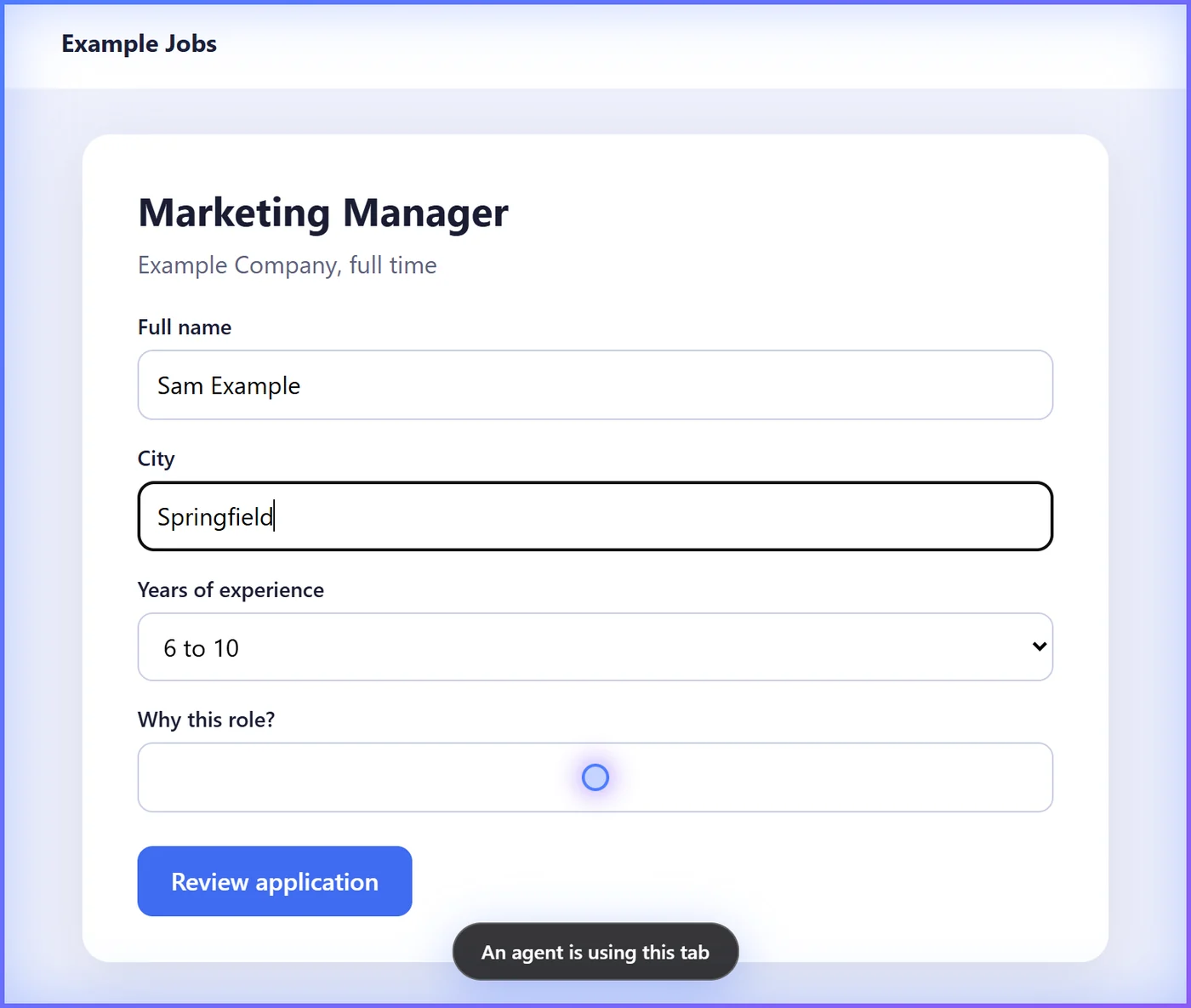
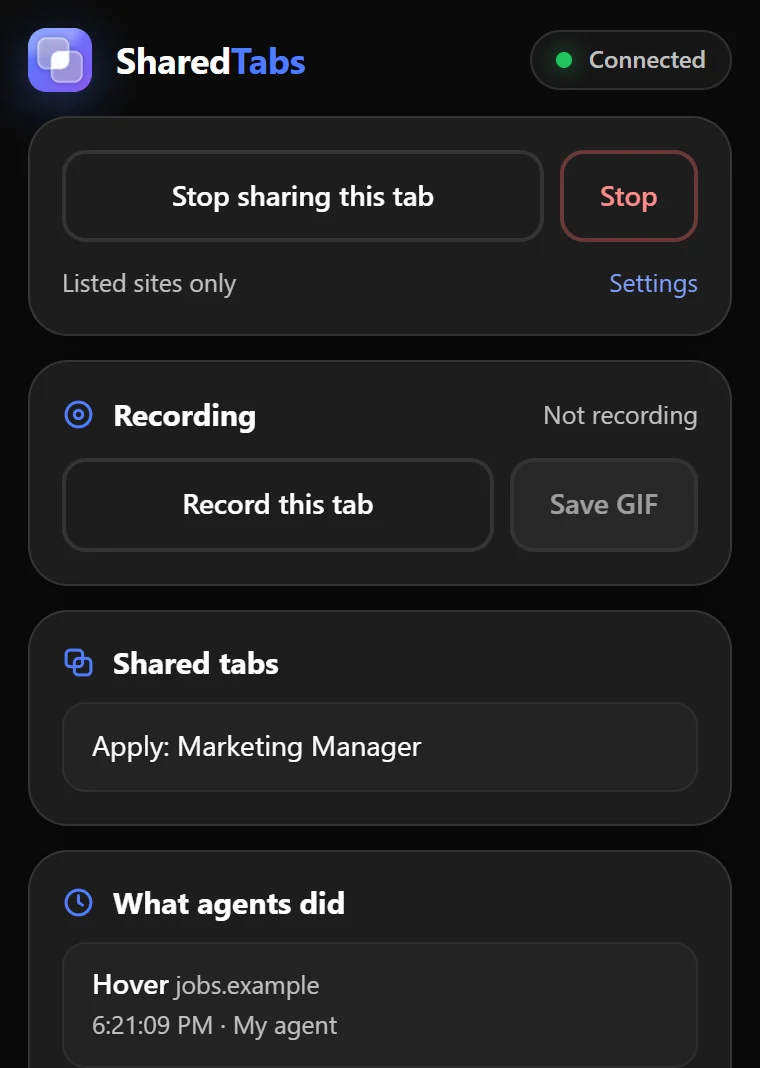
A shared tab in Chrome, and the side panel that shows what agents did.
You stay in control
Nothing is shared or allowed until you choose it.
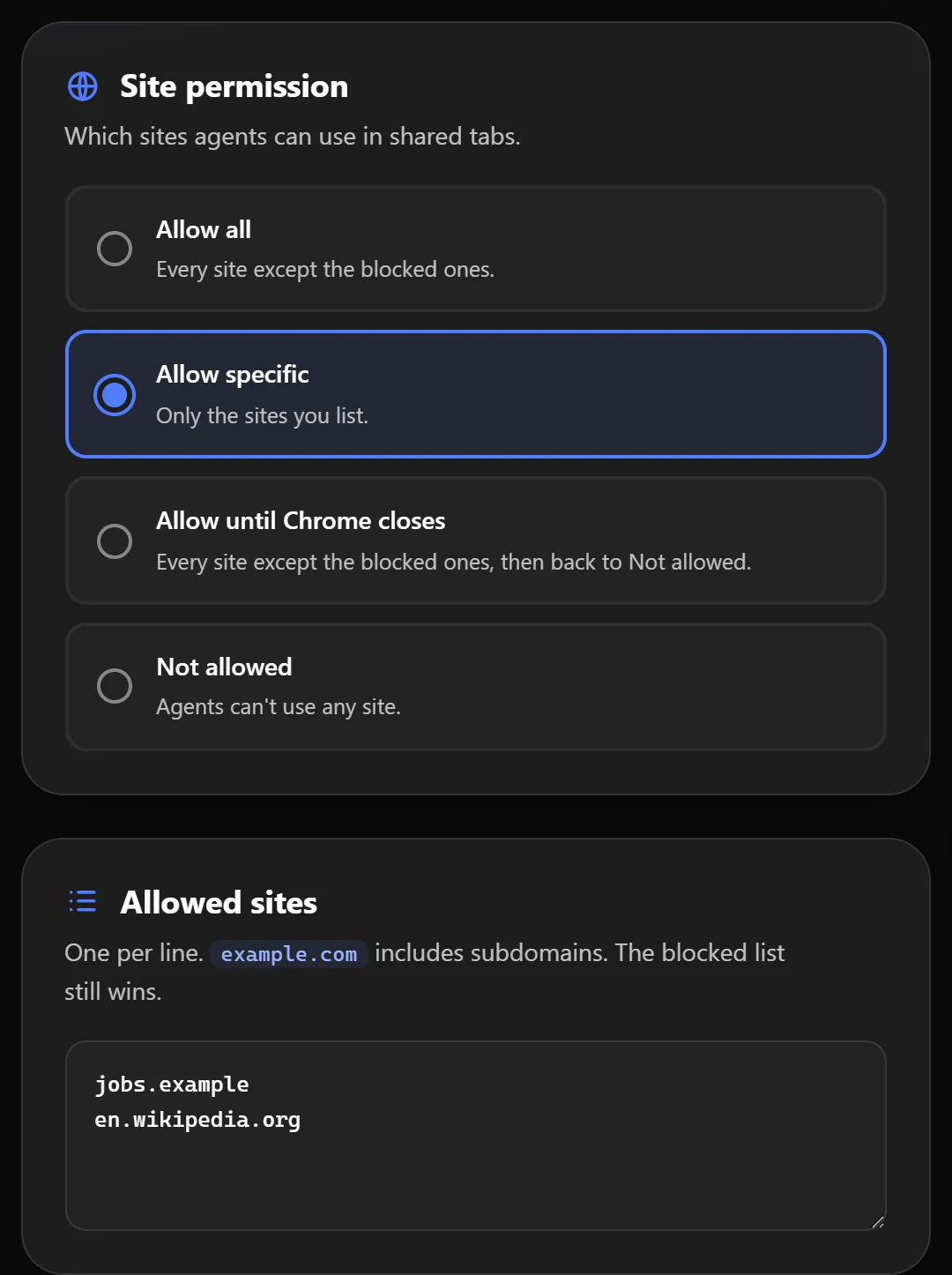
Choose the sites
All of them, only the ones you list, everything until Chrome closes, or none.
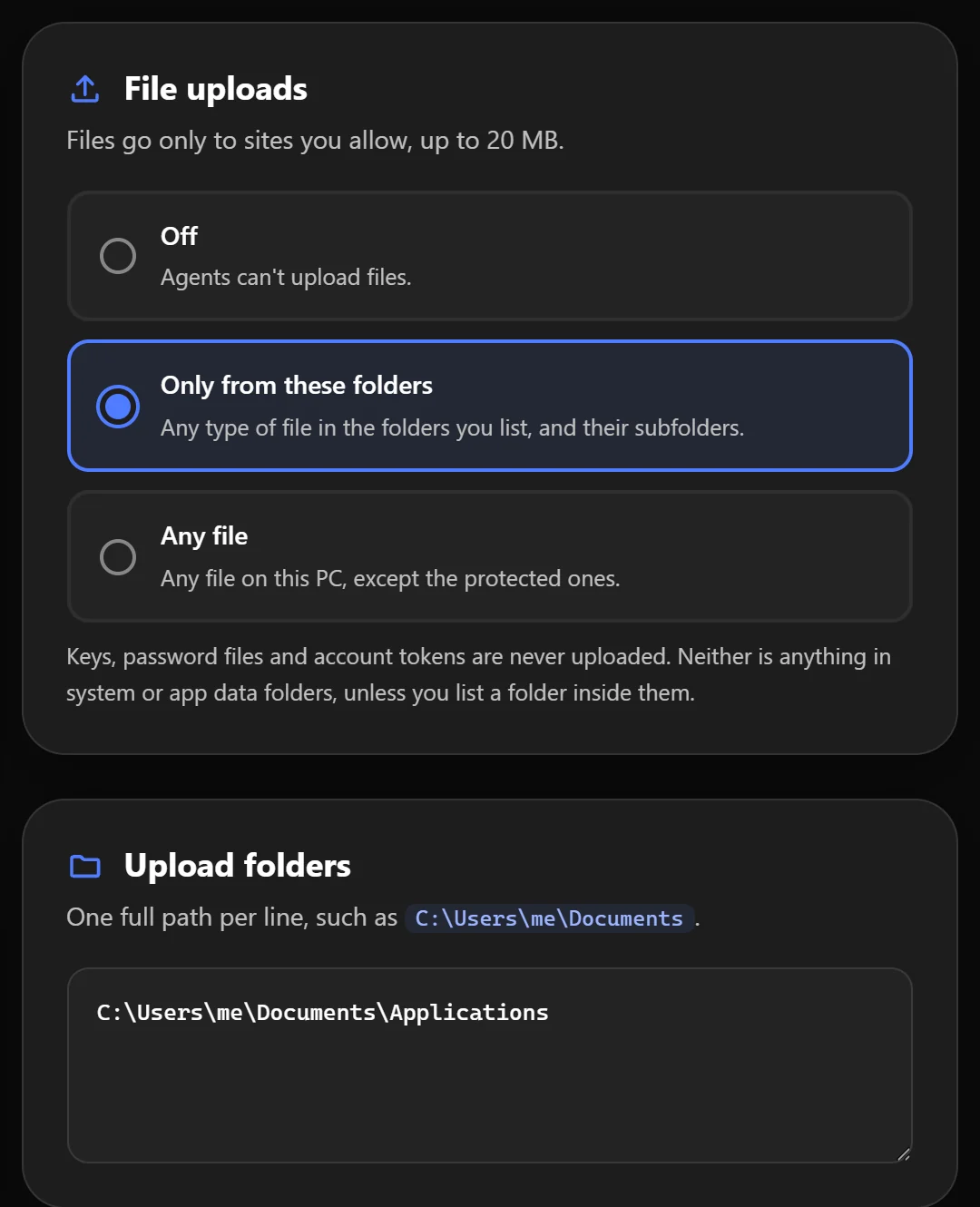
Choose the files
Uploads start off. Allow only the folders you pick. Keys and password files are always refused.
Sensitive sites blocked
Many banks, password managers and similar sites start out blocked. The list can't cover every one, so add yours.
Passwords stay yours
Password, card and one-time code fields aren't read, and typing in them is refused. Best effort, based on how a page marks its fields.
One Stop button
Halts everything at once. A border shows when an agent is using a tab, and the side panel lists what it did.
Set it up
About five minutes. Or let your AI do most of it.
- Install Node.js
Version 20 or newer, from nodejs.org. Choose LTS.
- Download the bridge and unzip it
Somewhere permanent, such as
C:\Users\you\SharedTabs. Don't run it inside the zip. - Double-click “Set up SharedTabs”
Answer
yfor each agent to connect. Windows may warn that the file came from the internet. Continue only if you downloaded it from here. - Add the extension to Chrome
Coming to the Chrome Web Store. Its popup should say Connected.
- Agree, and choose sites
Read the page that opens. Then pick which sites agents may use in Settings.
- Restart your agent and share a tab
Click the SharedTabs icon, choose Share this tab, and ask your agent to summarise it.
Or ask your AI
Give this to an agent that can run commands on your PC. Adding the extension, agreeing to its terms, choosing sites and sharing tabs stay with you.
Install the SharedTabs bridge for me on this PC.
Download https://ahsan.live/sharedtabs/sharedtabs-bridge.zip
Check that its SHA-256 is baccbbc3e2f0d208fe9f9c4ff780e67fd35d108b0a3a60e7b63db55473c3c720
Unzip it into a permanent folder in my user folder, then read INSTALL-WITH-AI.md inside it and follow it.
Tell me what you are about to do, and ask me before you run setup or change any settings.
Download
Bridge 0.8.2, 38 KB. Contains readable source code and no installers.
SHA-256 baccbbc3e2f0d208fe9f9c4ff780e67fd35d108b0a3a60e7b63db55473c3c720
Buy me a coffee
SharedTabs is free. If it's useful to you, you can leave a tip. It's optional and unlocks nothing.
Good to know
Where does my data go?
From Chrome straight to the agent on your computer. SharedTabs has no account, server, analytics or ads, and its makers receive nothing. Your agent may send what it reads to its AI provider, under that agent's own terms. See the privacy policy.
Which agents work?
It's been tested with Hermes Agent. Other agents that can run a local MCP server on Windows should work too. Setup can connect Hermes, Claude Desktop, Claude Code, Cursor and Codex when it finds them, and prints the settings for any other.
Is it safe?
It limits what an agent can reach, but agents make mistakes and web pages can try to trick them. Watch them with anything important, use Allow specific rather than Allow all, and leave uploads off until you need them. Anyone who can message your agent can ask it to use the tabs you share. Programs running under your Windows account could connect to the bridge, so run only software you trust.
Why does Chrome show a debugging banner?
Chrome shows it while an agent is clicking, typing or taking screenshots. That permission is how SharedTabs sends real input. Pressing Cancel on the banner stops agents.
How do updates work?
Chrome updates the extension. When the bridge needs updating, the popup says so. Nothing updates behind your back.
Does it work on Mac or Linux?
Not yet. Windows only.
Can I use the code?
Yes, for noncommercial purposes, with credit. The source is on GitHub. You may use the official app at work, but not sell it, offer it as a paid service or use changed copies commercially.
How do I remove it?
Double-click Remove SharedTabs, remove the extension in chrome://extensions, remove shared-tabs from your agent, and delete the folder.